HA-Apps
Kokoro-FastAPI for Home Assistant
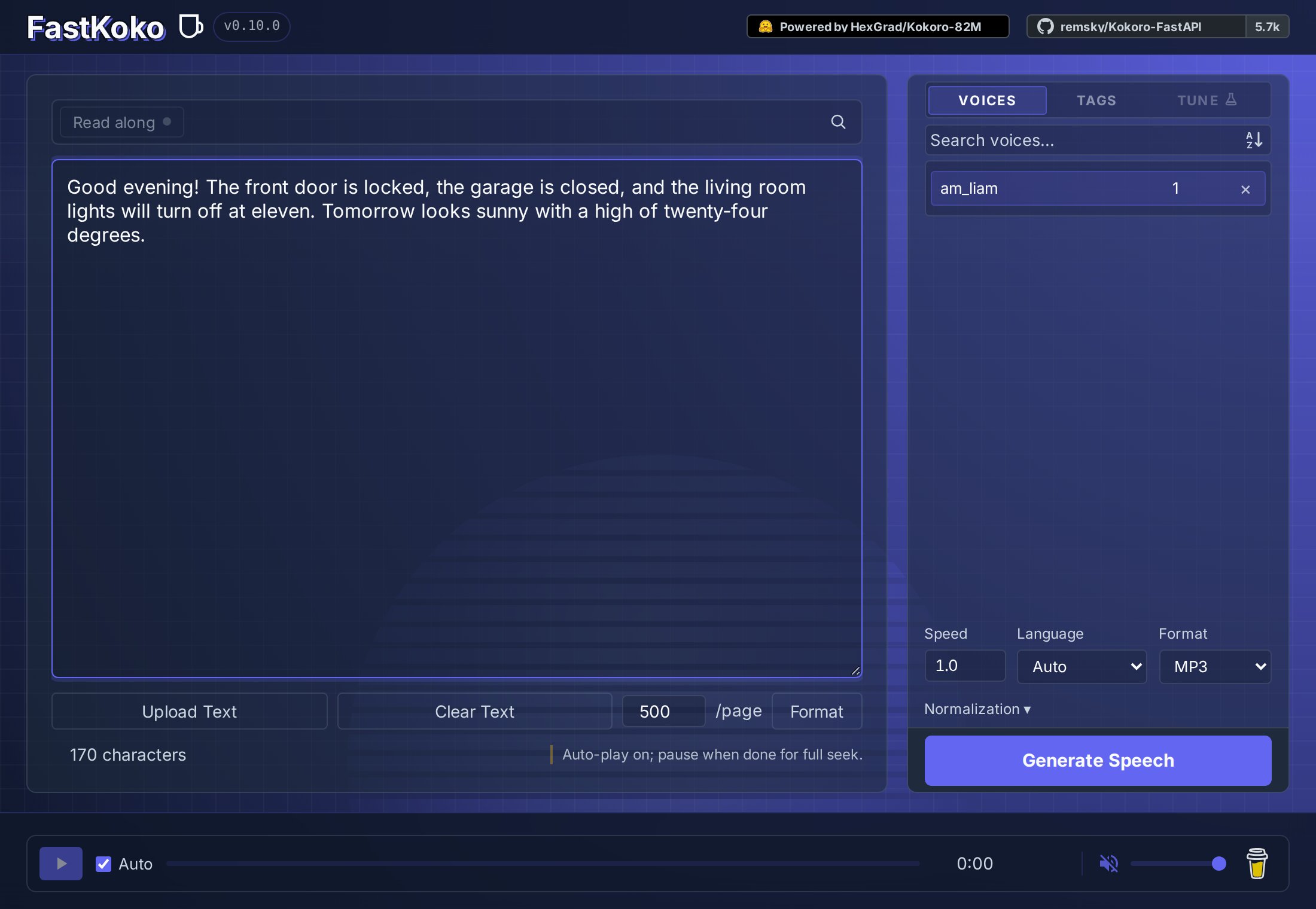
Kokoro-FastAPI by remsky is a text-to-speech server for the Kokoro-82M voice model.
This app runs it locally on your Home Assistant host, so spoken replies never leave your network. It is a wrapper around the work the Kokoro-FastAPI folks did. Use it with the Kokoro TTS HACS integration to give Assist and your automations a natural voice.
Highlights
- Runs fully offline on the CPU, no cloud account needed.
- 72 voices for American and British English, Spanish, French, Hindi, Italian, Japanese, Brazilian Portuguese and Mandarin Chinese.
- Web UI to try voices, mix them and tune the speed.
- OpenAI-compatible speech API (
/v1/audio/speech) with MP3, Opus, AAC, FLAC, WAV and PCM output. - Optional SSML support for pauses and other speech controls.
Requirements
This app runs Kokoro on the CPU, so it needs a fast host. To speak a reply without interruptions, the CPU has to generate audio faster than it plays. If it can’t, you hear pauses in long replies, even in the middle of words.
| CPU | Generation speed | Long replies |
|---|---|---|
| Intel Core i3-7100U (2 cores) | About 0.9x real time | Pauses |
| AMD Ryzen 7 PRO 6860Z (8 cores) | About 3x real time | Smooth |
- Memory: Plan for at least 2.5 GB of free RAM for this app, on top of what Home Assistant already uses. It uses about 1 GB when idle and about 2 GB while speaking. In a test with a 2 GB limit and no swap, it ran out of memory.
- Disk: The image needs about 4.5 GB.
- Architecture: Home Assistant on
amd64oraarch64. 32-bit systems are not supported. - Raspberry Pi: Not recommended. A Pi has not been tested, but a 4-core limit on a much faster ARM laptop only just reached 1x real time, so expect a Pi 5 to fall below that and a Pi 4 to be slower still.
On slower hosts, you can run Kokoro-FastAPI on a faster machine in your network and point the Kokoro TTS integration to it, or use a lighter voice engine such as Piper.
Installation
- If not already done in HA, add this repository (
https://github.com/YaannnTech/HA-Apps) to Settings → Apps → Install Apps → ⋮ → Repositories → Add, or simply press this button:

- Install Kokoro-FastAPI.
- Start the app and wait for the model to finish loading.
- Add and configure the Kokoro TTS HACS integration.
Click Open Web UI, or open http://HOME_ASSISTANT_IP:8880/web/ to try voices in the Kokoro-FastAPI web UI.
Settings
All settings are on the app’s Configuration tab:
| Setting | What it does |
|---|---|
| API Log Level | How much detail Kokoro writes to the app log: Debug, Info, Warning or Error. Only Debug logs every HTTP request, including Home Assistant’s health checks every few seconds. |
| Default Voice | Default Kokoro voice identifier. Use Open Web UI to browse and preview voices. |
| Enable Web UI | Serves Kokoro’s web UI at http://HOME_ASSISTANT_IP:8880/web/. |
| Support SSML | Enables Speech Synthesis Markup Language, including pauses and other supported speech controls. |